 EN
EN

Detachable Tablet Keyboard: A Professional Accessory for Modern Tablets
A detachable tablet keyboard can turn a tablet into a flexible workstation for typing, data entry, communication, and business applications. It allows users to enjoy the portability of a tablet while gaining the productivity benefits of a laptop-style keyboard.
For businesses, schools, healthcare organizations, retail teams, logistics companies, and field-service providers, a professional tablet keyboard should offer more than comfortable typing. Key considerations include compatibility, protection, connectivity, portability, durability, and long-term reliability.
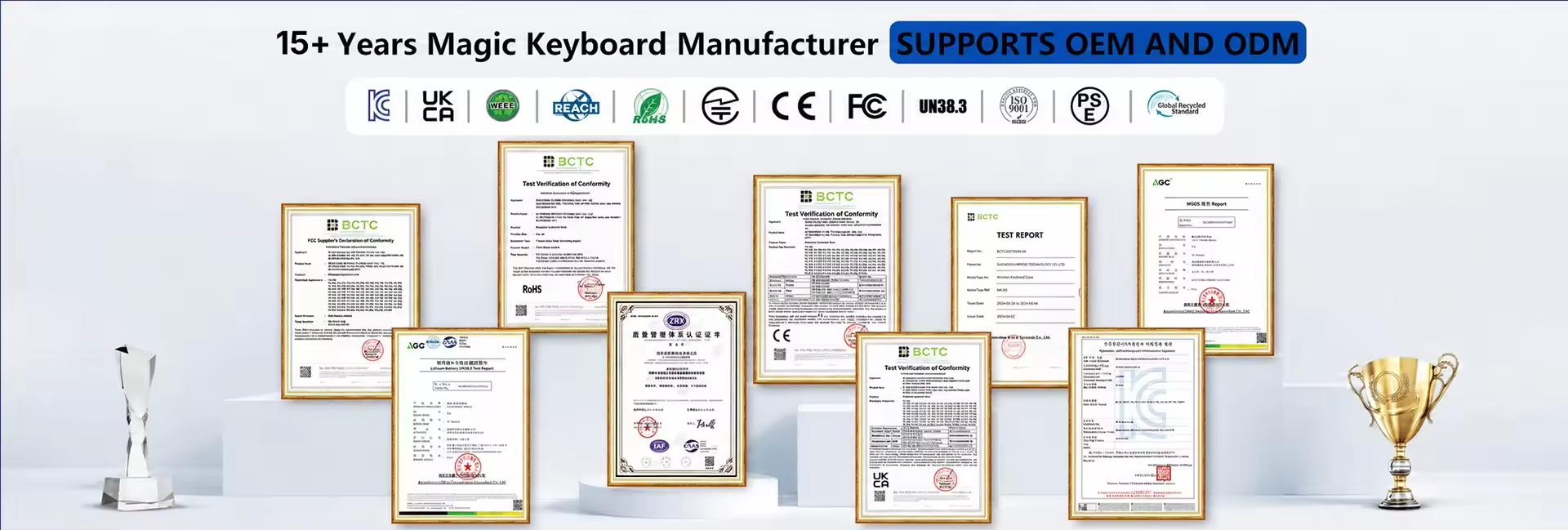
For distributors, resellers, OEMs, ODMs, and system integrators, selecting the right detachable tablet keyboard also means evaluating customization options and deployment requirements.
Why Choose a Detachable Tablet Keyboard?
1. Improve Tablet Productivity
Touchscreens are useful for browsing, reading, and mobile applications. However, physical keyboards are more efficient for long-form typing and professional tasks.
A detachable keyboard can help users:
- Write reports and emails
- Complete digital forms
- Enter customer information
- Manage inventory
- Use cloud-based business applications
- Access enterprise software
- Work with remote desktop platforms
This allows organizations to continue using a lightweight tablet without giving up the convenience of a traditional keyboard.
2. Switch Between Tablet and Keyboard Modes
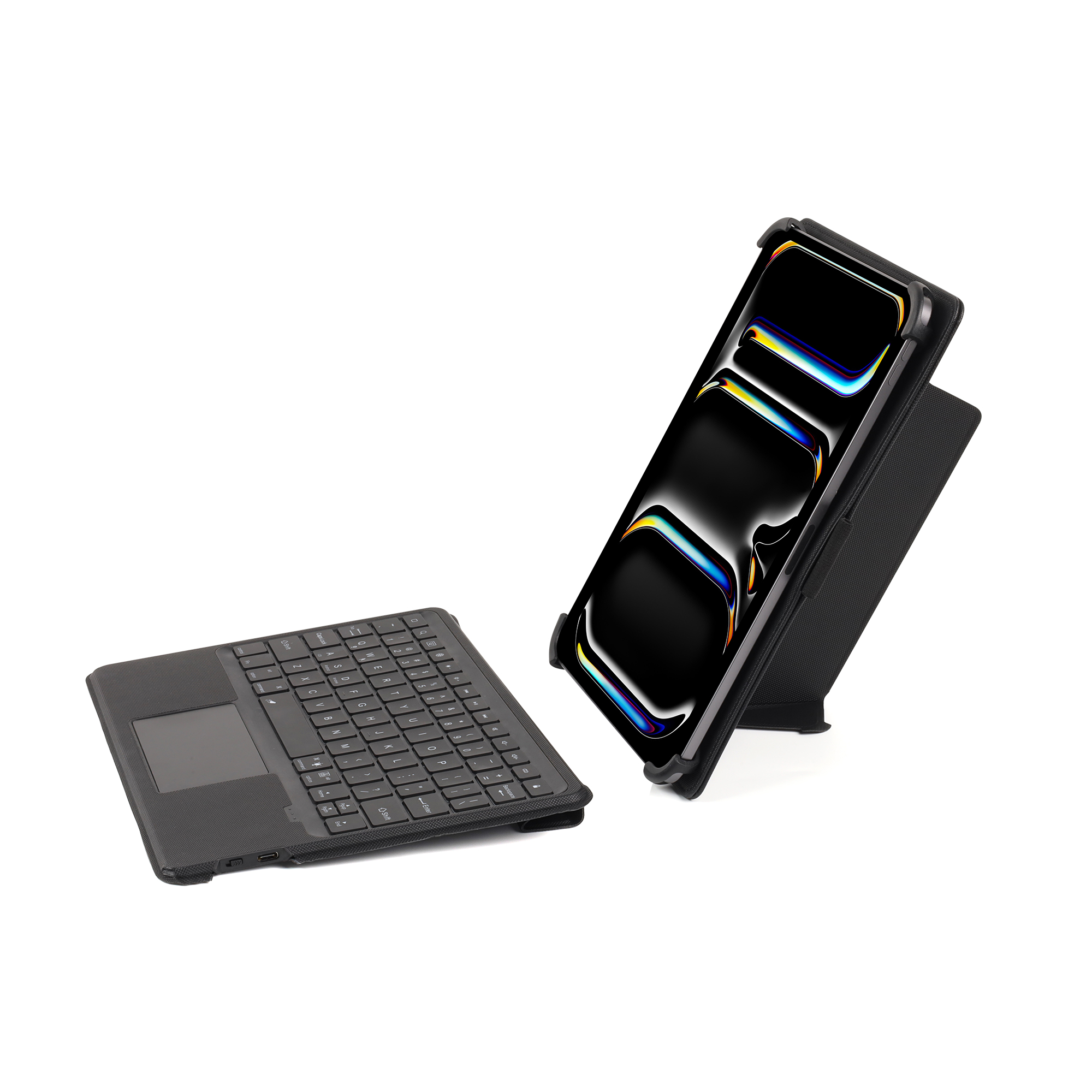
The main advantage of a detachable design is flexibility. Users can attach the keyboard when they need to work and remove it when they prefer a lighter tablet-only setup.
Common usage modes include:
- Typing Mode: For documents, emails, and data entry
- Tablet Mode: For browsing, reading, and touchscreen applications
- Presentation Mode: For meetings and customer presentations
- Viewing Mode: For training and video content
- Travel Mode: For moving between offices, classrooms, or customer locations
This design can reduce the need for separate tablets and laptops in certain work environments.
3. Support Mobile Workflows
A detachable tablet keyboard is suitable for employees who work across multiple locations. Sales representatives, educators, healthcare workers, technicians, warehouse teams, and retail staff can attach the keyboard when they need to enter information and remove it when portability is more important.
Compared with a traditional laptop, a tablet keyboard case can provide a lighter and more flexible solution for mobile work.
Key Features of a Professional Tablet Keyboard
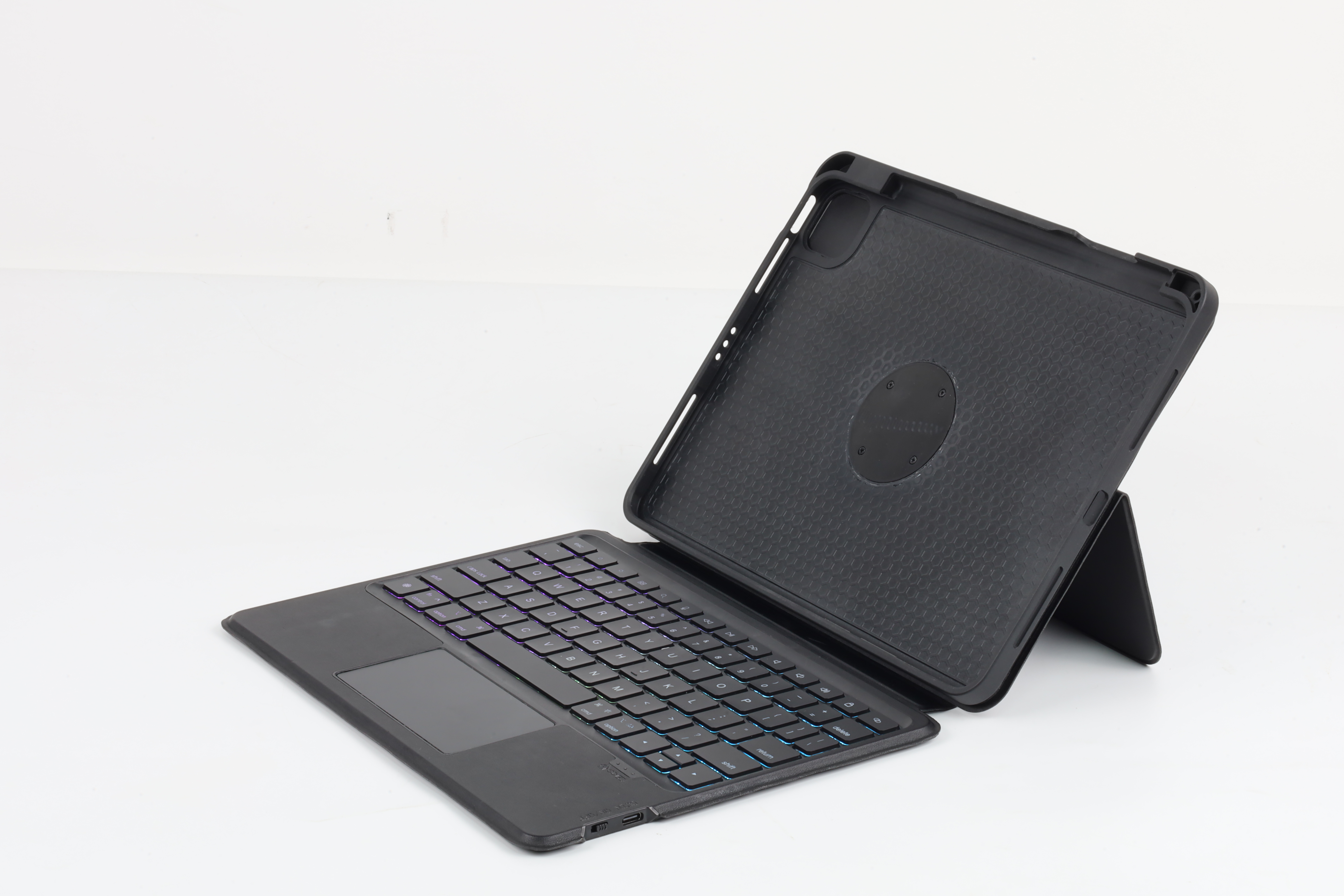
Secure Detachable Design
The keyboard should connect firmly to the tablet while remaining easy to remove. A reliable detachable mechanism should provide:
- Secure attachment
- Stable typing performance
- Easy installation
- Simple removal
- Reliable performance after repeated use
This is especially important for education, enterprise, and field-service deployments where users may frequently switch between tablet and keyboard modes.
Comfortable Physical Keys
Typing comfort has a direct effect on productivity. A professional tablet keyboard should provide a familiar layout, suitable key spacing, consistent feedback, and durable keycaps.
Buyers should consider:
- Key pitch
- Key travel
- Key structure
- Shortcut keys
- Keyboard language
- Regional layout
- Key durability
Scissor-switch keyboards are commonly used in portable keyboard products because they offer a slim profile with a laptop-style typing experience.
Built-In Trackpad
A built-in trackpad can make a tablet more suitable for desktop-style workflows. It allows users to navigate applications without constantly touching the screen.
A trackpad can be useful for:
- Document editing
- Web applications
- Enterprise software
- Remote desktop systems
- Customer management platforms
- Online learning tools
When evaluating a trackpad, buyers should consider its size, responsiveness, gesture support, and compatibility with the tablet’s operating system.
Stable Viewing Angles
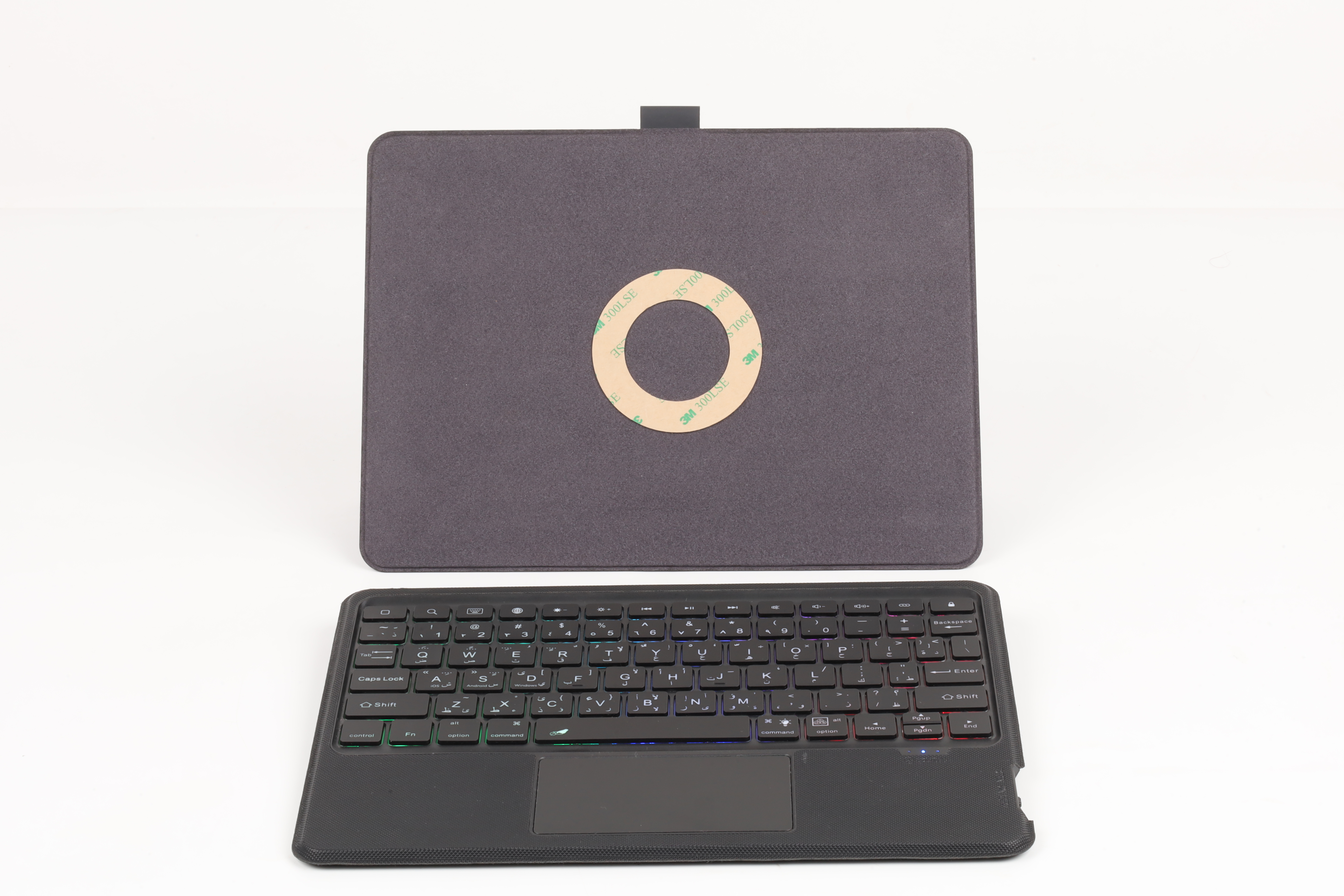
A professional tablet keyboard case should provide stable positioning for typing, reading, presenting, and video conferencing.
An adjustable kickstand can improve user comfort and support different working scenarios. It should be strong enough to hold the tablet securely while remaining easy to adjust and transport.
Reliable Connectivity
Tablet keyboards may use different connection methods, including:
- Bluetooth
- USB-C
- Pogo pins
- Smart connectors
- Proprietary interfaces
Bluetooth keyboards offer flexible device compatibility but require pairing and charging. Direct-contact solutions can simplify setup and may reduce power-management requirements.
For B2B projects, buyers should evaluate connection stability, power consumption, pairing requirements, operating-system compatibility, and connector durability.
Detachable Keyboard Case or Standalone Keyboard?
A standalone tablet keyboard provides typing functionality, but it may not protect the tablet. A detachable keyboard case combines the keyboard with a protective enclosure and can provide additional value for professional deployments.
Depending on the application, a tablet keyboard case may include:
- Front and rear protection
- Reinforced corners
- Raised screen bezels
- Kickstand
- Stylus holder
- Hand strap
- Shoulder strap attachment
- Port protection
- Asset-tag area
Office users may prefer a slim and lightweight design, while schools, warehouses, hospitals, and field-service teams may require stronger protection and more durable materials.
What Should B2B Buyers Consider?
Before purchasing a detachable tablet keyboard, B2B buyers should review the following factors.
Device Compatibility
Confirm the exact tablet model and generation. Compatibility may depend on:
- Tablet dimensions
- Camera position
- Speaker location
- Button placement
- Connector position
- Operating system
- USB-C configuration
- Magnetic interface
A keyboard designed for one tablet generation may not fit another model, even when both tablets have the same screen size.
Battery and Power Requirements
For Bluetooth keyboards, check:
- Battery capacity
- Operating time
- Standby time
- Charging interface
- Charging cycle
- Battery replacement
- Power-management design
For fleet deployments, longer battery life can reduce charging frequency and maintenance costs.
Durability and Total Cost of Ownership
A professional tablet keyboard should be evaluated according to its expected service life, not only its purchase price.
Ask the manufacturer about:
- Material quality
- Key lifespan
- Hinge durability
- Connector testing
- Drop testing
- Environmental testing
- Quality-control procedures
- Warranty and after-sales support
OEM and ODM Tablet Keyboard Solutions
Off-the-shelf products may not meet every project requirement. OEM and ODM tablet keyboard solutions allow brands and solution providers to customize the product for specific markets and applications.
Possible customization areas include:
- Case structure
- Materials and colors
- Logo placement
- Keyboard language
- Key layout
- Shortcut keys
- Backlight
- Touchpad configuration
- Protection level
- Packaging and labels
Working with an experienced tablet keyboard manufacturer can help buyers develop a product that matches their brand, target market, tablet model, and deployment environment.

Conclusion
A detachable tablet keyboard combines tablet portability with laptop-style productivity. It can support business, education, healthcare, retail, logistics, and field-service applications.
When choosing a professional tablet keyboard, buyers should evaluate compatibility, typing comfort, connectivity, protection, durability, portability, and customization options.
For distributors, OEMs, ODMs, and system integrators, the best solution is not simply a keyboard that fits a tablet. It should be designed around the users, devices, and workflows of the target application.
Frequently Asked Questions
1.What is a detachable tablet keyboard?
A detachable tablet keyboard is a physical keyboard that connects to a tablet and can be removed when users want to operate the device as a standalone tablet.
2.Is a detachable keyboard better than a Bluetooth keyboard?
It depends on the application. A detachable keyboard case usually provides a more integrated experience and may include tablet protection and a kickstand. A Bluetooth keyboard may offer greater flexibility across different devices.
3.Can a detachable keyboard case protect a tablet?
Many detachable keyboard cases provide front, rear, corner, and screen protection. However, the protection level varies by product, so buyers should check the manufacturer’s specifications and test data.
4.Are detachable tablet keyboards suitable for schools?
Yes. They can support online learning, digital assignments, typing practice, presentations, and classroom applications. For schools, buyers may also consider reinforced corners, durable materials, and easy-to-clean surfaces.
5.Can a tablet keyboard be customized?
Yes. OEM and ODM manufacturers may offer customization for the case structure, color, logo, keyboard layout, language, shortcut keys, touchpad, protection level, and packaging.
6.How do I choose the right tablet keyboard manufacturer?
Consider the manufacturer’s experience, product compatibility, customization capabilities, quality-control process, sample development, production capacity, testing standards, and after-sales support.